The Form Generator
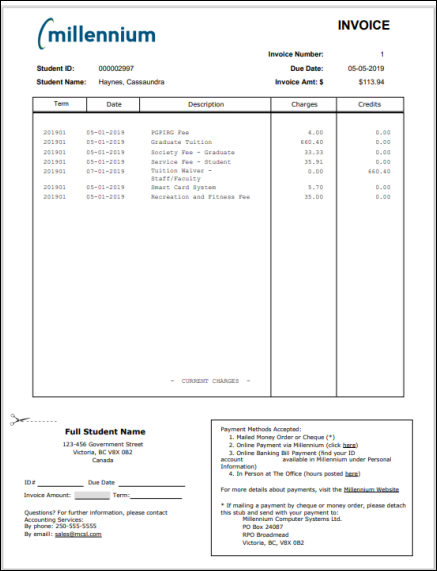
FAST now supports a Form Generator template which allows users to create and edit their own tailored PDF templates based on reporting pages to accomplish some of the following tasks:
- Stylize a data entry page for end users
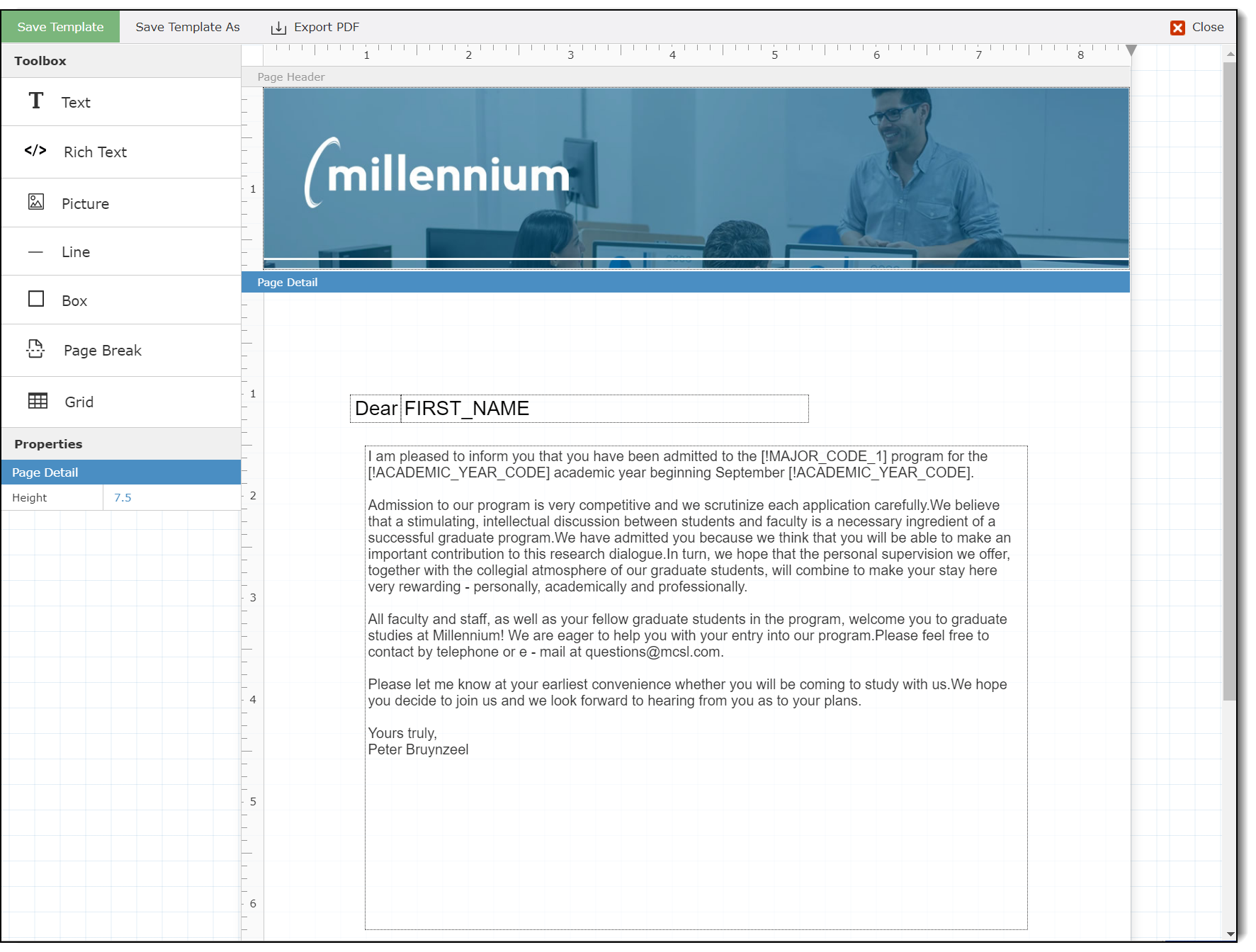
- Create academic documents
- Generate AR Invoices, Purchase Orders, & Pay Slips
- Notify staff of remaining vacation balance on a schedule
- Share a 5-year Budget Plan for Board Members
- Monitor Financial Aid Awards or Tracking Documents
Using the Form Generator
- Run a report for which you'd like to use the Form Generator. On reporting grid click the Single Record View icon in the toolbar.

- Click the edit icon beside the Form Template dropdown

- Click the 'Create New Template' button

- Start building your template using the provided tools
- Save the template
Using the Form Generator
HELPFUL TIPS
- Use the 'Export PDF' to see what the form will look like
- Drag & Drop the tools from the Toolbox
- Use the color picker to select just the right color
- Use additional properties for a customized look and feel
- Use the trash can to delete
- Remove columns from a grid
- Resize the page
- Use 'save as' to version iterations
RUNNING FORM GENERATOR TEMPLATES
-
Click the PDF icon on your pinned report and run instantly
-
Create a new layout of an existing report
-
Attach PDF to Communications
-
Add to Dashboard for easy access
-
Easily select the form you want to view when multiple exist for a single report
The Final Product--Example